
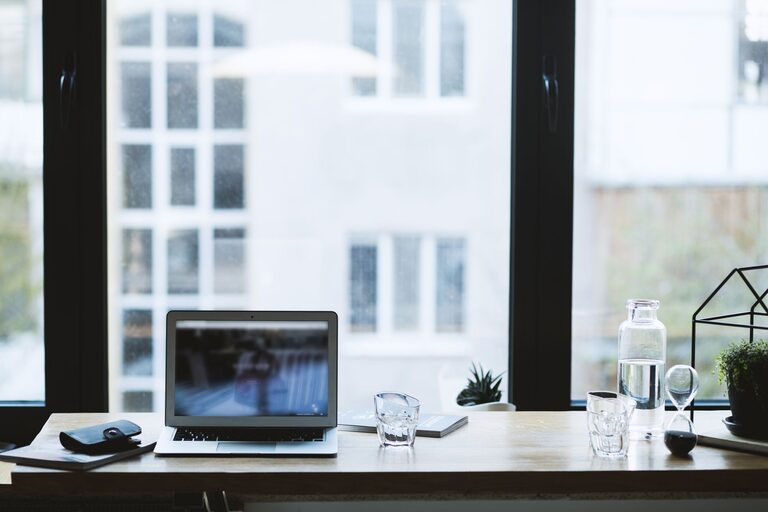
Working from home has become a norm for many people, and having the right workspace can make a big difference in your productivity and overall well-being. Creating a productive home office environment isn’t just about having a desk and a computer—it’s about designing a space that supports your work habits, minimizes distractions, and inspires focus. Here are some practical tips to help you set up an effective home office that works for you.
1. Choose the Right Location
Selecting the best spot in your home for your office is the first step. Ideally, pick a location that is quiet and free from heavy foot traffic and distractions.
– Natural Light: Position your desk near a window if possible. Natural light can boost mood and energy, reducing eye strain.
– Away from Noise: Avoid busy areas like the kitchen or living room where household activities are common.
– Dedicated Space: Even a small corner can work as long as it’s dedicated solely to work. This helps signal to your brain that it’s time to focus.
2. Invest in Comfortable and Ergonomic Furniture
Spending long hours working makes comfort essential to prevent fatigue and strain.
– Ergonomic Chair: Choose a chair that supports your lower back and promotes good posture.
– Desk Height: Your desk should allow your arms to rest comfortably at a 90-degree angle when typing.
– Adjustable Options: Consider a sit-stand desk or adjustable monitor stands to switch positions throughout the day.
3. Minimize Clutter and Organize Your Space
A tidy workspace helps reduce distractions and improve concentration.
– Declutter Regularly: Remove unnecessary items from your desk and surrounding area.
– Storage Solutions: Use shelves, drawers, or organizers to keep documents and supplies in order.
– Cable Management: Use clips or cable ties to keep cords neat and out of the way.
4. Optimize Lighting
Proper lighting can reduce eye strain and keep you alert.
– Natural Light: Use curtains or blinds to control glare while maximizing daylight.
– Task Lighting: A desk lamp with adjustable brightness can help when working late or on detailed tasks.
– Avoid Shadows: Position lights so they don’t cast shadows on your work surface.
5. Personalize Your Space
Adding a few personal touches can make your home office a place you enjoy spending time in.
– Plants: Indoor plants can improve air quality and add a calming effect.
– Artwork or Photos: Inspirational images or family photos can boost your mood.
– Colors: Use colors that promote focus and calm, such as soft blues or greens.
6. Set Up Technology Efficiently
Technology is central to remote work, so make sure your equipment supports productivity.
– Reliable Internet: Ensure you have a strong, stable internet connection.
– Quality Equipment: Use a good monitor, keyboard, and mouse to make work easier.
– Backup Power: Consider a surge protector or backup battery for essential devices.
7. Establish Boundaries and Routines
A productive environment also depends on your habits and how you separate work from personal life.
– Set Work Hours: Define clear start and end times for your workday.
– Use a Door or Divider: If possible, close a door or use a room divider to block out noise and interruptions.
– Take Breaks: Schedule regular breaks to stretch and rest your eyes.
8. Manage Noise and Distractions
Noise can severely affect concentration, so find ways to control your sound environment.
– Noise-Canceling Headphones: These can help block background noise.
– White Noise or Music: Some people work better with background sounds like white noise or instrumental music.
– Communicate Boundaries: Let family or roommates know your work hours to minimize interruptions.
9. Keep Essentials Within Reach
To avoid losing momentum during work, keep frequently used items close by.
– Organize Supplies: Pens, notebooks, chargers, and other tools should be easily accessible.
– Designated Break Space: Have a spot nearby for breaks so you don’t feel tempted to wander far or procrastinate.
10. Review and Adjust Regularly
Your home office needs may change over time, so it’s important to reassess and improve your setup as needed.
– Evaluate Your Comfort: Notice any physical discomfort or distractions and address them.
– Update Decor: Refresh your space occasionally to keep it inspiring.
– Upgrade Tools: Replace or add equipment as your workload or technology needs evolve.
—
Creating a productive home office environment is a combination of good design, functional equipment, and healthy habits. By thoughtfully setting up your workspace and routines, you’ll foster better focus and satisfaction in your remote work life. The goal is to build an area where you can feel motivated and comfortable, helping you make the most of your workday—even when it’s at home.